Contents
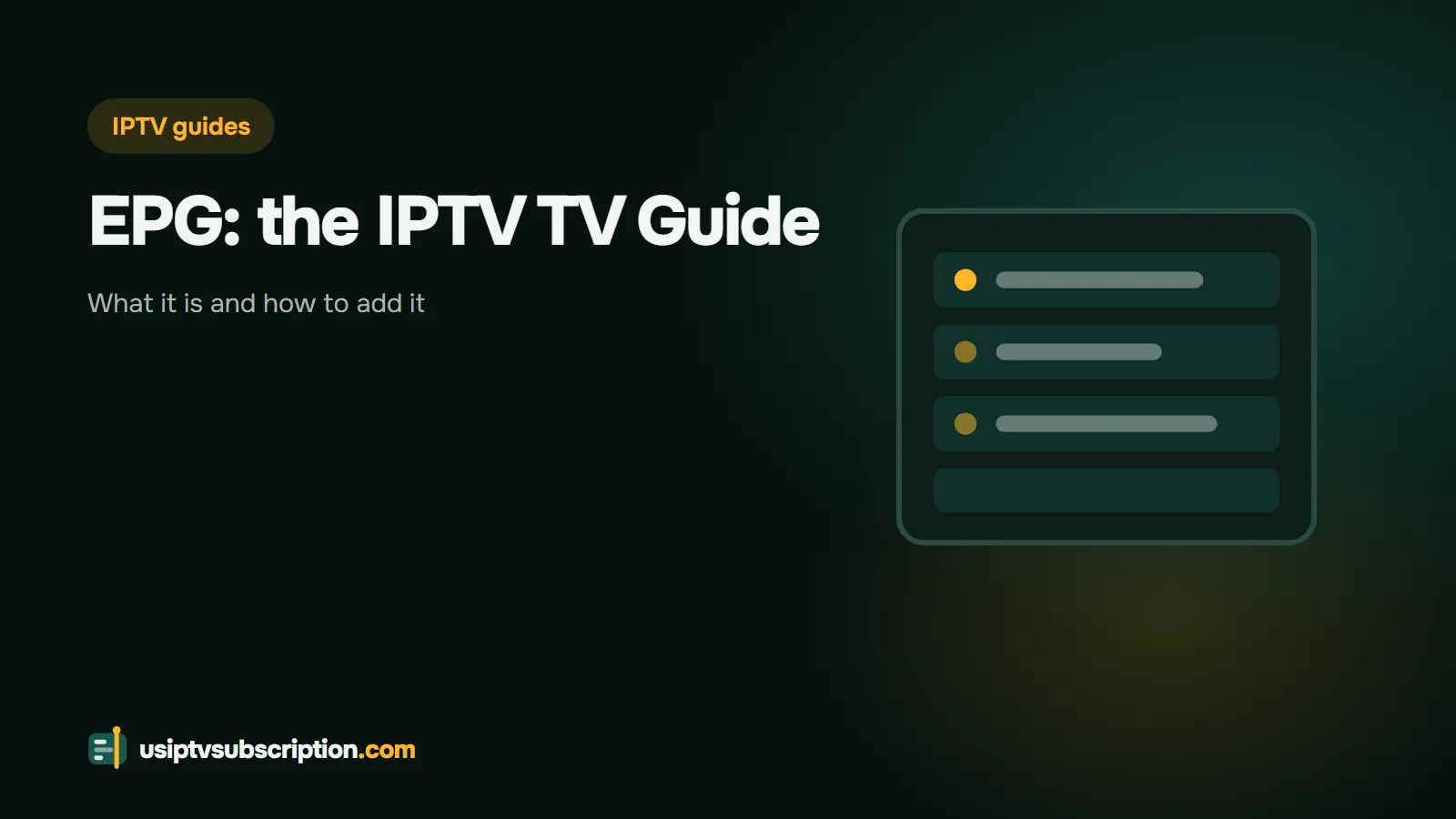
EPG is the TV guide on your screen: in television, the letters stand for electronic program guide. The same three letters also name a food ingredient and other unrelated terms; this guide covers the TV meaning only. Below, the EPG explained: what it is, how an IPTV player app loads it, which EPG source to use and how to fix a missing guide that stays empty.
What is EPG?
An electronic program guide (EPG) is a menu that lists TV programs by channel and time. The BBC describes it as an on-screen menu that tells you what TV and radio programs are available on your television, which you normally open with a button such as Guide on the remote.
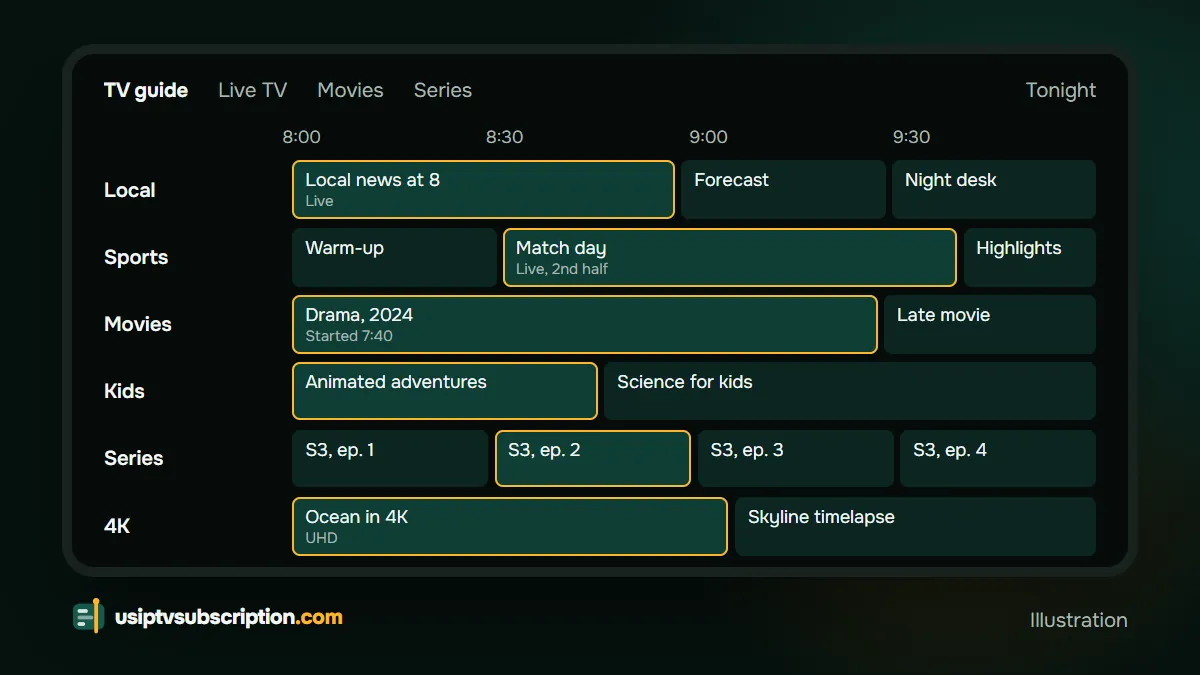
A typical EPG shows:
- The channel list, often split into groups.
- A timeline, with each program as a block of its own length.
- Program details, such as the title, the start and end time and a short description.
- What is on now, often highlighted, so you can jump to it.
- 1Guide dataOften an XMLTV file
- 2Matched to channelsBy channel ID
- 3The player builds the grid
- 4Now and laterOn every channel
Empty guide? Add or refresh the EPG link, or check that channel IDs match.
EPG meaning on your TV and on a Fire Stick
The EPG meaning stays the same wherever you see it: it is the guide, not the channels themselves. Where it comes from depends on how you watch.
- On a TV with an antenna or a cable box, the guide comes with the TV or the box, and the remote opens it.
- On a Fire Stick or another streaming device, the guide lives inside the app you watch in. For IPTV, that is your player app.
On a Fire OS model, such as the Fire TV Stick 4K Plus or 4K Max, that player can be TiviMate or Hot Player. Vega OS models install apps from the Amazon Appstore only; our IPTV on Firestick guide explains the difference.
How EPG works on IPTV
An IPTV EPG has two separate parts, and your player app joins them:
- The channel list. Your login, Xtream Codes or an M3U link, gives the app your channels.
- The guide data. A file lists programs, times and descriptions for each channel.
The common format for that file is XMLTV. Wikipedia describes XMLTV as an XML-based file format for TV listings, introduced in 2002, that IPTV providers use as the base reference template in their systems.
The player matches each channel in your list with its entry in the guide data. When a channel matches, its programs appear in the grid. When it doesn’t, the row stays empty. That is why a guide can work for most channels and still show nothing for a few.
How the guide data reaches your app depends on how you log in:
| Login type | Where the guide comes from | What you do |
|---|---|---|
| Xtream Codes | From the same account as your channels | Nothing: with our service, the guide loads in the app |
| M3U link | A separate EPG link, often an XMLTV address | Ask our support for the EPG link and add it in the app |
| MAC portal (MAG box) | From the portal | Nothing: the guide loads with the portal |
A MAG box logs in with its MAC address, and its guide arrives with the portal, so there is no EPG link to add. Our guides to Xtream Codes and to the M3U playlist explain each login type.
IPTV EPG vs a cable guide
On cable, the guide and the channels come from the same box, so you rarely think about where the guide comes from. An IPTV EPG is different in two ways:
- It downloads separately. Your app fetches the guide data over the internet, separately from the video streams.
- It depends on the match. Each channel needs a matching entry in the guide data. On cable, the operator handles that for you.
That is why an IPTV guide can be empty while the channels play fine. The streams and the guide are two different downloads.
What is an EPG source?
An EPG source is the address your player app downloads guide data from, often a web link to an XMLTV file.
A good EPG source is one whose channel entries match your channel list. That makes the source from your own IPTV provider the first choice: it is built for the channels you actually get.
Free public guides exist too, and people often look for a “free EPG XML URL.” They are built around their own channel lists, not necessarily yours, so many of your channels may find no match. Try your provider’s source first; our page on TiviMate EPG sources shows why IDs must match, using TiviMate as the example.
How do I get EPG on my IPTV?
Most of the time, you don’t do anything special. Follow these steps in order:
- Log in with Xtream Codes if your app offers it. With our service, the guide loads with your channels.
- If you use an M3U link, add the EPG link. Ask our support for it, then paste it into your player’s EPG or guide settings.
- Update the guide once. Most players have an option to refresh the guide; the first download may take a few minutes.
- Open the TV guide view and check a few channels you know.
Here is what each recommended app’s official listing says about the guide:
| Player app | What its official listing says about the guide |
|---|---|
| TiviMate | A TV guide (EPG) shown as a grid, with catch-up and recording (Google Play) |
| IBO Player Pro | No built-in EPG system; it shows the guide when your provider supplies one (iboplayer.com) |
| Hot Player | Live streams with EPG (TV guide), plus an EPG time offset setting (App Store) |
| ELK Player | Its store listings don’t describe a guide; check it in the app during a trial |
For a device-by-device comparison of these apps, see our best IPTV player guide.
Which IPTV has the best EPG?
No provider’s guide is best for everyone, because a guide is only as good as its match with the channels you watch. You can judge one yourself in a few minutes. Open the TV guide and check five things:
- Coverage. Scroll through the groups you watch. Most rows should show program names, not empty bars or “No information.”
- Correct times. Pick a channel you know and compare the guide with what is actually playing.
- How far ahead it goes. Move forward in the grid and see how many hours or days of listings it shows.
- Program details. Open one program. A useful guide gives the title, the time and a short description.
- Catch-up. If your plan includes it, go back in the grid and play a program that already aired.
A guide that passes these checks on your device is a good guide for you, whatever the provider. Our free trial lets you run these checks on the full catalog before you pay.
Why isn’t my IPTV EPG working?
When channels play but the guide is empty or wrong, the cause is usually one of these five. Check them in this order:
- No guide data was added. With an M3U link, the guide needs its own EPG link. Add it in the player’s settings.
- The guide hasn’t refreshed. Run the update option in your player, wait a few minutes and reopen the guide.
- The times are off. If programs show at the wrong hour, set the right time zone on your device. Some players also have a time offset for the guide; Hot Player lists an EPG time offset setting.
- Some channels don’t match. If most rows fill and a few stay empty, those channels have no matching entry in the guide data. Your provider can tell you whether a guide exists for them.
- Old data is stuck. Remove the EPG source, add it again and update the guide.
If the guide still won’t load, contact our support by email with your player app, your device and one channel that shows no guide. For TiviMate, our page on TiviMate EPG sources explains how a guide link is added in TiviMate.
EPG and catch-up
Catch-up lets you replay programs that have already aired, and the guide is how you find them. In many players that support it, you go back in the EPG grid and open a past program. TiviMate’s Google Play listing names catch-up next to its TV guide.
Some players also use the guide for recording: TiviMate’s listing names recording among its features.
Catch-up is included with our service. Our guide to IPTV catch-up explains how replay works and how to use it. To keep shows longer than the replay window, see our comparison of IPTV service with DVR options.
Try the TV guide with our service
The TV guide is included with every plan, Standard and VIP. With an Xtream Codes login, it loads with your channels; with an M3U link, ask our support for the EPG link and add it in your app.
The quickest way to see it is our IPTV free trial: 24 hours on one screen, with the full catalog and the guide, and no card. If you’re new to IPTV, start with our guide to what IPTV is, or compare our IPTV subscription plans.
Checked on by Evans George Franklin. Sources: Wikipedia, XMLTV; BBC, What is an EPG?; official listings of TiviMate (Google Play), IBO Player Pro (iboplayer.com) and Hot Player (App Store).
EPG questions
What does EPG mean?
On a TV or in a streaming app, EPG means electronic program guide: the on-screen schedule of what is on each channel now and next. The same letters are also used for an unrelated food ingredient and other terms; this page covers the TV guide only.
What is EPG on the Fire Stick?
For IPTV on a Fire Stick, the EPG is the TV guide screen inside your player app. On a Fire OS model, such as the Fire TV Stick 4K Plus or 4K Max, that can be TiviMate or Hot Player. The guide fills in once the app has guide data: with an Xtream Codes login it loads with your channels, and with an M3U link you add the EPG link in the app.
Why is EPG not available?
Usually because the player has no guide data for that channel. The playlist may have been added without its EPG link, the guide may not have refreshed yet, or that channel has no entry in the guide data. Refresh the guide first, then ask your provider for the EPG link; with our service, ask our support.
Compare the two plans
3 months, 1 screen. Nothing renews automatically.
- Card, Apple Pay, Google Pay or crypto
- Refund if it doesn’t work (email us within 48 hours)
- Login by email in under 5 minutes

Evans George Franklin is the founder of usiptvsubscription.com.
With our editorial team, he checks every guide against official sources before it goes live.