Best IPTV for Sports: How to Choose a Service for Game Day
Short answer
The best IPTV for sports is the one that stays stable during live games on your own devices and internet. Check six things: stability at game time, enough screens for everyone watching at once, enough speed, replay and a TV guide, a good player app, and a free trial you can run during a real game.
The best IPTV for sports is the service that keeps live games stable on your own TV, at the hours you watch, for everyone in your home. Lists that rank providers can’t tell you that, but a few checks can.
This guide covers the six that matter for sports, how many screens and how much internet speed to plan for, and how to test a service during a real game before you pay.
We sell an IPTV subscription at usiptvsubscription.com, so read this as a seller’s guide. We don’t rank other providers, and every figure below comes from a linked source, our own market check of Nov 10, 2026, or our own plans and operations team.
Best IPTV for sports: what to look for
Sports put more pressure on an IPTV service than movies do. A movie can buffer for a second and you pick up where you left off; a live game that freezes at the wrong moment is a different story.
Check these six points:
Stability at game time. Many people watch the same live events at the same hours. So a service is usually under its heaviest load during big games: test it during a live game, not on a quiet weekday morning.
Enough screens. The number of screens is how many devices can watch at the same time. Count everyone who watches on game day.
Enough internet speed. Each screen that plays needs its own share of your connection. The table further down adds up the numbers.
Replay and a TV guide. Catch-up lets you replay a game you missed. An electronic program guide, or EPG, shows what is on each channel and when.
A good player app. The app on your TV affects how fast channels switch and how the guide looks.
A free trial and written refund terms. You should be able to test before you pay and know what happens if it doesn’t work.
On Nov 10, 2026, we visited 25 sites from US Google results for 55 IPTV searches; 21 had readable seller pages. We analyzed what those 21 showed about the company, prices, trials and refunds: 18 showed no company name or address, and only 7 mentioned a refund guarantee or policy. The rest of the warning signs are in our legit IPTV services checklist.
Can you watch sports on IPTV?
Yes. Sports channels on IPTV work like any other live channel: the stream reaches your player app over the internet, and the TV guide shows the schedule. What you get depends on the provider’s catalog.
Our catalog includes premium sports channels and pay-per-view events, with no extra charge, on both the Standard and the VIP plan. It also includes:
More than 40,000 live channels, sports among them.
4K live channels; a channel plays in 4K when its source is broadcast in 4K.
Catch-up, to replay recent programs.
A TV guide (EPG) in your player app.
Pay-per-view is a type of pay TV where viewers pay to watch an individual event. Pay-per-view events in our catalog are included in every plan, with no charge per event.
We don’t list channel, league or team names. If you follow a specific event, contact our support by email before you buy, or check it yourself during the free trial. Our page on premium channels on IPTV explains what counts as a premium channel.
What channel is sports on IPTV?
There is no fixed channel number for sports on IPTV. Each provider arranges its own list, and your player app shows it in groups, often by country or by type, such as a sports group.
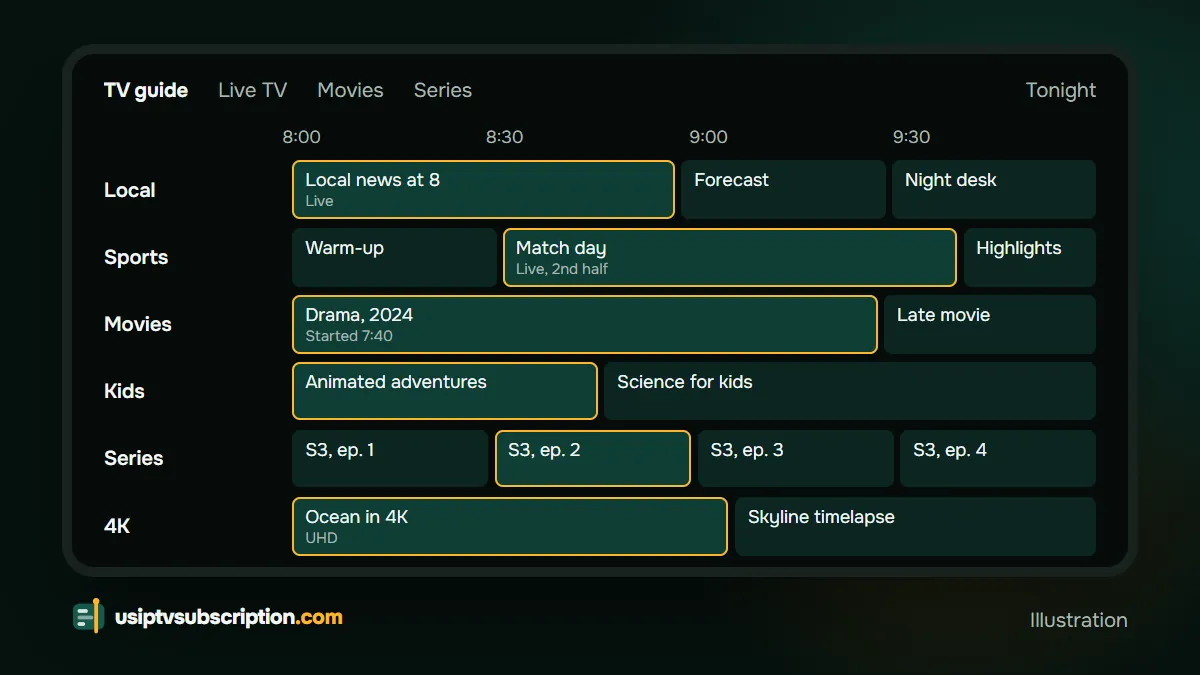
Channel groups in a TV guide, with a sports row. Illustration.
To find a game fast:
Open the sports group, if your channel list has one, in your player app.
Search the TV guide for the event name or the time it starts.
Add the channels you watch to your favorites, so they stay at the top on game day.
If the guide is empty, ask our support for the EPG link and add it to your player.
How many screens do you need for IPTV sports?
For sports, count the devices that play at the same time, not the devices you own. You can install one subscription on several devices; the number of screens you buy is how many can watch at once. Our guide to IPTV multiple connections covers the details.
One screen on three devices means one of them plays at a time. If one person watches the game in the living room while another follows a different game in the bedroom, you need two screens.
Screens at once
Standard, 1 year
VIP, 1 year
1
$75
$100
2
$120
$160
3
$155
$205
4
$195
$260
5
$225
$300
Prices are in US dollars, with no automatic renewal. Every plan length, from 3 months to 5 years, is in the IPTV cost breakdown.
Internet speed for sports on IPTV
For sports on IPTV, use the FCC’s figures for streaming video as a baseline. The FCC broadband speed guide lists 5 to 8 Mbps for HD video and 25 Mbps for 4K, for one activity at a time.
Screens playing at once
All in HD
All in 4K
1
5 to 8 Mbps
25 Mbps
2
10 to 16 Mbps
50 Mbps
3
15 to 24 Mbps
75 Mbps
4
20 to 32 Mbps
100 Mbps
5
25 to 40 Mbps
125 Mbps
These are sums of the FCC figures, not a measurement of our service. Downloads and video calls on the same network need speed too. A wired Ethernet connection is the steadiest choice for a big game; our guide to internet speed for IPTV shows how to check yours.
Which IPTV app can I use to watch sports?
Any of the four player apps we recommend plays live sports channels with a TV guide:
TiviMate, for Android TV and Fire TV on Fire OS models, such as the Fire TV Stick 4K Plus and 4K Max (not Vega OS models).
IBO Player Pro, for Samsung and LG TVs, Android, PC and Fire OS models of Fire TV (not Vega OS).
Hot Player, for Samsung, LG and Hisense TVs, Roku, and Apple devices through the App Store.
ELK Player, for Samsung and LG TVs, Apple devices through the App Store, and Android through Google Play.
For a device-by-device comparison, see the best IPTV player guide. With VIP, we include and activate a Hot Player or IBO Player Pro license for you on each screen.
How to test IPTV for sports before you pay
The best test of IPTV for sports is a live game on your own setup. Our free trial gives you 24 hours on one screen, with the full catalog and no card. Plan it around a game:
Start the trial a few hours before a game you care about, so the 24 hours cover it. You get one trial per person, so time it well.
Use the device and connection you will use on game day, wired if you can.
Watch the game live, for at least an hour, and switch between channels during breaks. Compare it with a live score app to see how far behind the stream runs.
Open the TV guide and replay a recent program to check catch-up.
Note any buffering and the time it happened. Then email our support with the details; we reply in under an hour.
Start your IPTV free trial when your next game is on. If the service doesn’t work and you tell us within 48 hours of purchase, you get a refund; our refund policy sets out the terms.
Best sports IPTV plans: Standard or VIP
There is no separate sports package. Every plan includes the full catalog, sports included, from $30 for 3 months on one screen.
Standard: the full service. You install a player app, and its license, if it needs one, is yours to buy.
VIP: the same catalog, priority support and a Hot Player or IBO Player Pro license activated for you on each screen.
You pay by card, Apple Pay, Google Pay or crypto, and your login arrives by email within 5 minutes of your order being confirmed. Compare the wider options in our guide to the best IPTV, or choose your IPTV subscription below.
We know of no independent, audited ranking of IPTV services. The best IPTV for sports is the one that stays stable on your devices during live games, covers the number of screens you watch on at once and includes replay and a TV guide. Test it during a real game before you pay.
What sports can I watch on IPTV?
It depends on the provider’s catalog. Ours includes premium sports channels and pay-per-view events at no extra cost, on every plan. We don’t publish channel names, so if you need a specific event, ask our support by email or check it during the free trial.
Who has the most reliable IPTV service?
We know of no independent body that measures IPTV reliability across providers. Judge it on your own connection: watch a live game during a free trial, switch channels and replay a recent program. Our server uptime is 99.9%, a figure from our operations team.
Can IPTV be blocked by an internet provider?
It can happen. If a service works on another connection but not at home, your internet provider’s network may be the cause. Our guide can my internet provider block IPTV? shows how to check.
Choose your plan
Pick a plan type and the number of screens: every price updates.